TACHYON
App Lock and the Parental PIN
Lock Tachyon with a 4-digit PIN, open it with your fingerprint, Windows Hello or Touch ID, and keep adult categories hidden behind the same PIN.
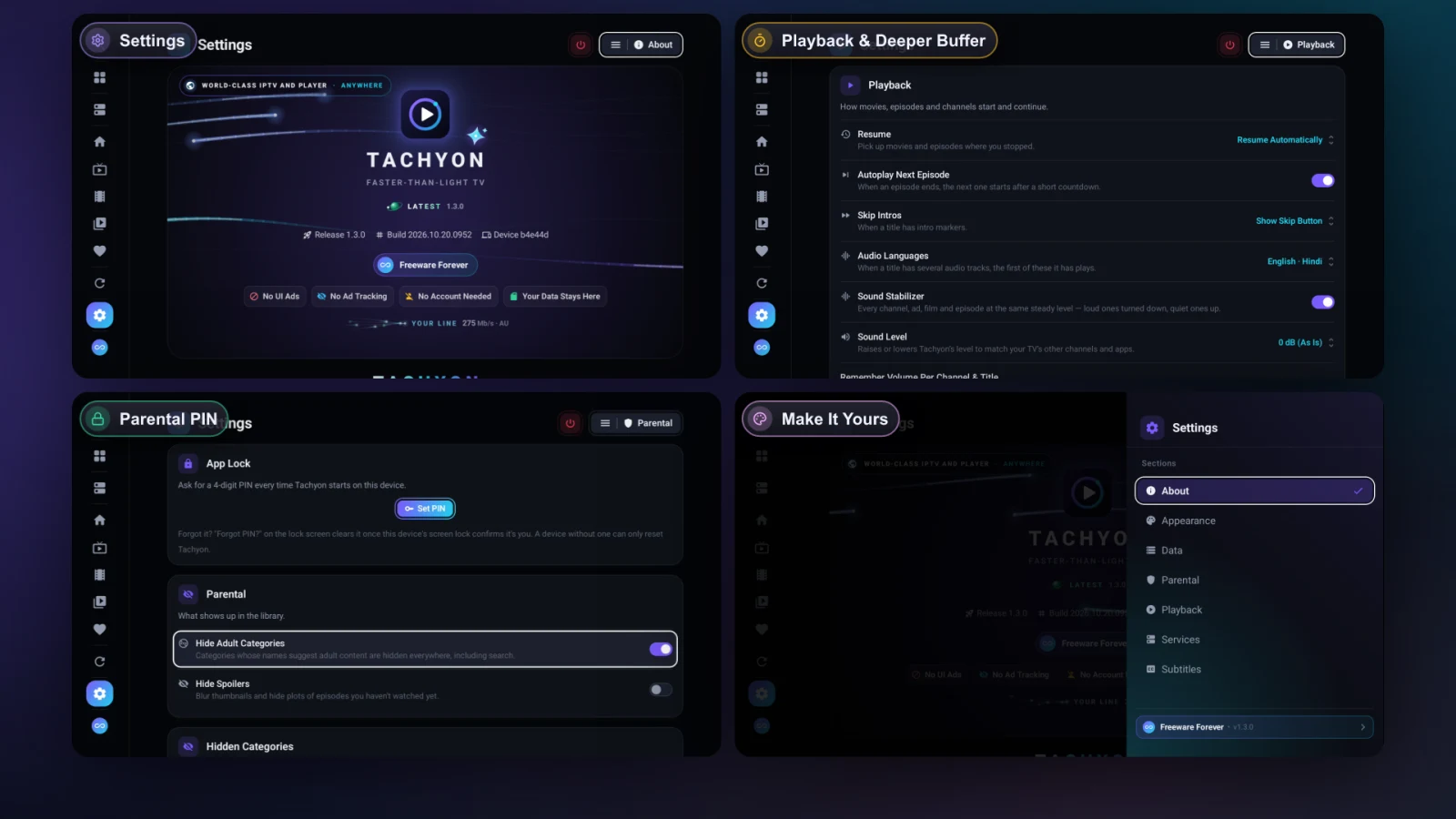
Share the TV with the kids, or just want Tachyon to stay private? App Lock asks for a 4-digit PIN when Tachyon starts, and the same PIN guards the adult categories.
Set a PIN
- Open Settings → Parental (on a computer: Content & Parental).
- In App Lock, select Set PIN, choose four digits, and type them again to confirm.
- Ask for PIN at Start turns the lock on or off. Turning it off, changing the PIN or removing it asks for the current PIN first.
While Tachyon is locked, nothing else loads: no library, no player, no notices.
Unlock With Your Fingerprint
With a PIN set, a fingerprint can open Tachyon too, where the device has one set up:
- Phone The phone's fingerprint (Android 10 and newer).
- Desktop Windows Hello on Windows, Touch ID on a Mac.
The lock screen asks for it straight away. The PIN always works too, and Unlock With … in the App Lock settings turns the fingerprint off.
Forgot the PIN?
Select Forgot PIN? on the lock screen. Tachyon asks for the device's own sign-in — the phone's screen lock, Windows Hello, Touch ID or your account password. Confirm it, and the PIN is removed and Settings opens to set a new one.
A device with no sign-in to ask for — most TVs — offers Erase and Start Fresh instead, which resets Tachyon.
The Parental PIN
- Hide Adult Categories (on by default) hides categories whose names suggest adult content everywhere, including search and Browse By. With a PIN set, turning it off asks for the PIN.
- Hidden Categories: hide any category to declutter your lists — from its menu or the Filters pane. Showing one again asks for the PIN when App Lock is set.
- Hide Spoilers blurs the pictures and hides the stories of episodes you haven't watched yet.
Questions and Answers
Is my PIN stored anywhere?
Only a salted hash of it is kept on the device — never the PIN itself.
Does the PIN travel to a new device?
Desktop A settings backup from the desktop app carries the App Lock, and it's used only on a device that has no PIN of its own.
What if a TV has no screen lock and I forgot the PIN?
Erase and Start Fresh resets Tachyon on that TV. If you have a settings backup or use Service Sync, your services are back in a minute.