TACHYON
Audio Languages: Hear Every Title in Your Language
Set up to three audio languages in Tachyon so movies and channels with several soundtracks play in your language first, and switch tracks any time.
Many movies and channels carry several soundtracks — the original language plus dubs. Tachyon can pick the right one for you every time, and you can switch whenever you like.
Set Your Languages Once
Android On phones and TVs, open Settings → Playback → Audio Languages:
- Select Add a Language and pick your first language.
- Add a second and a third if you like — up to three, in order.
- Remove one by selecting it; Clear All leaves every title on its own default track.
When a title or channel has several audio tracks, the first of your languages it has plays. If it has none of them, or only one track, it plays its own default. The defaults are English, then Hindi.
Desktop The desktop app plays each stream's default track (with Emby: your Emby audio settings) until you pick another.
Pick the Audio Before You Press Play
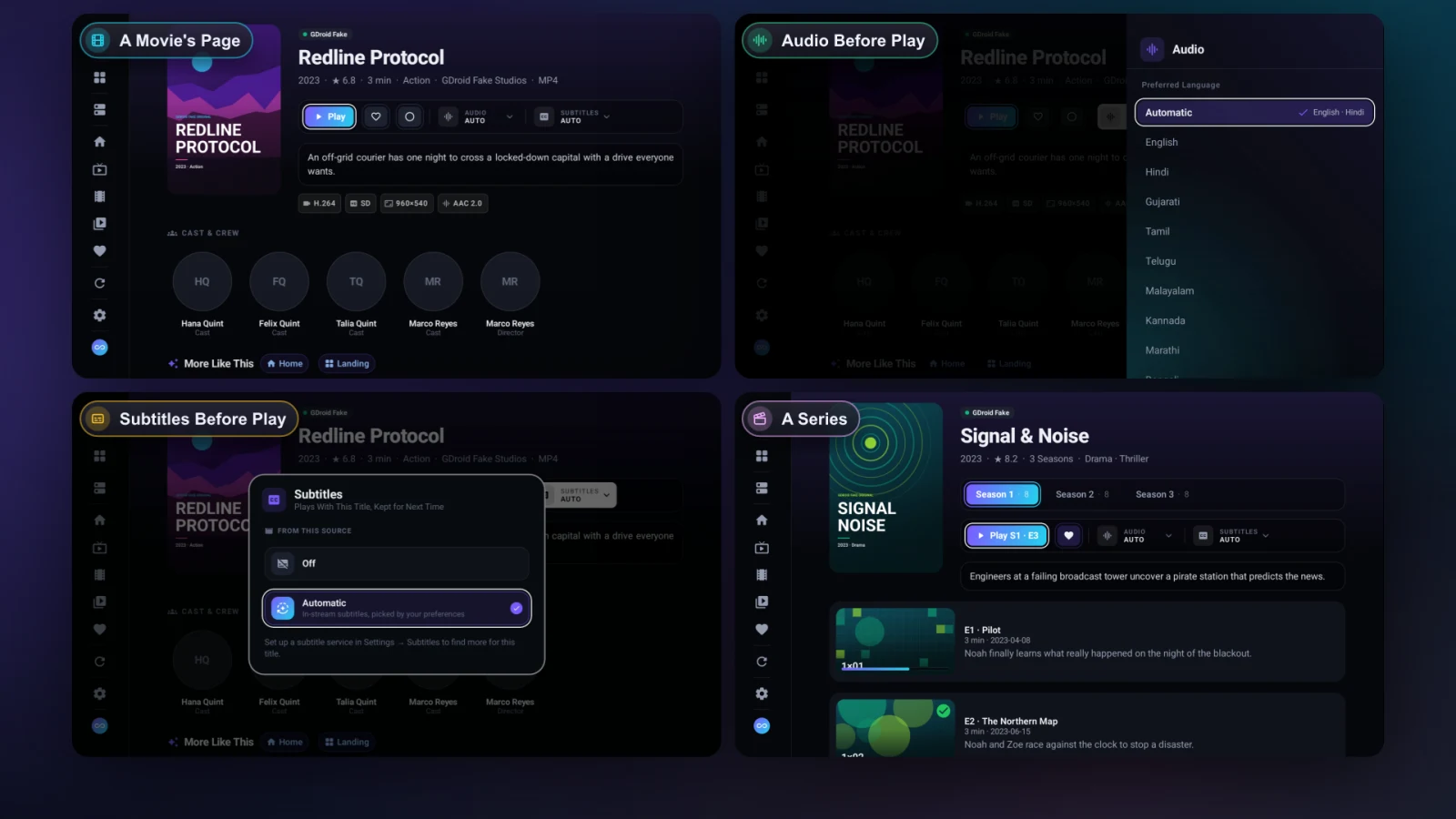
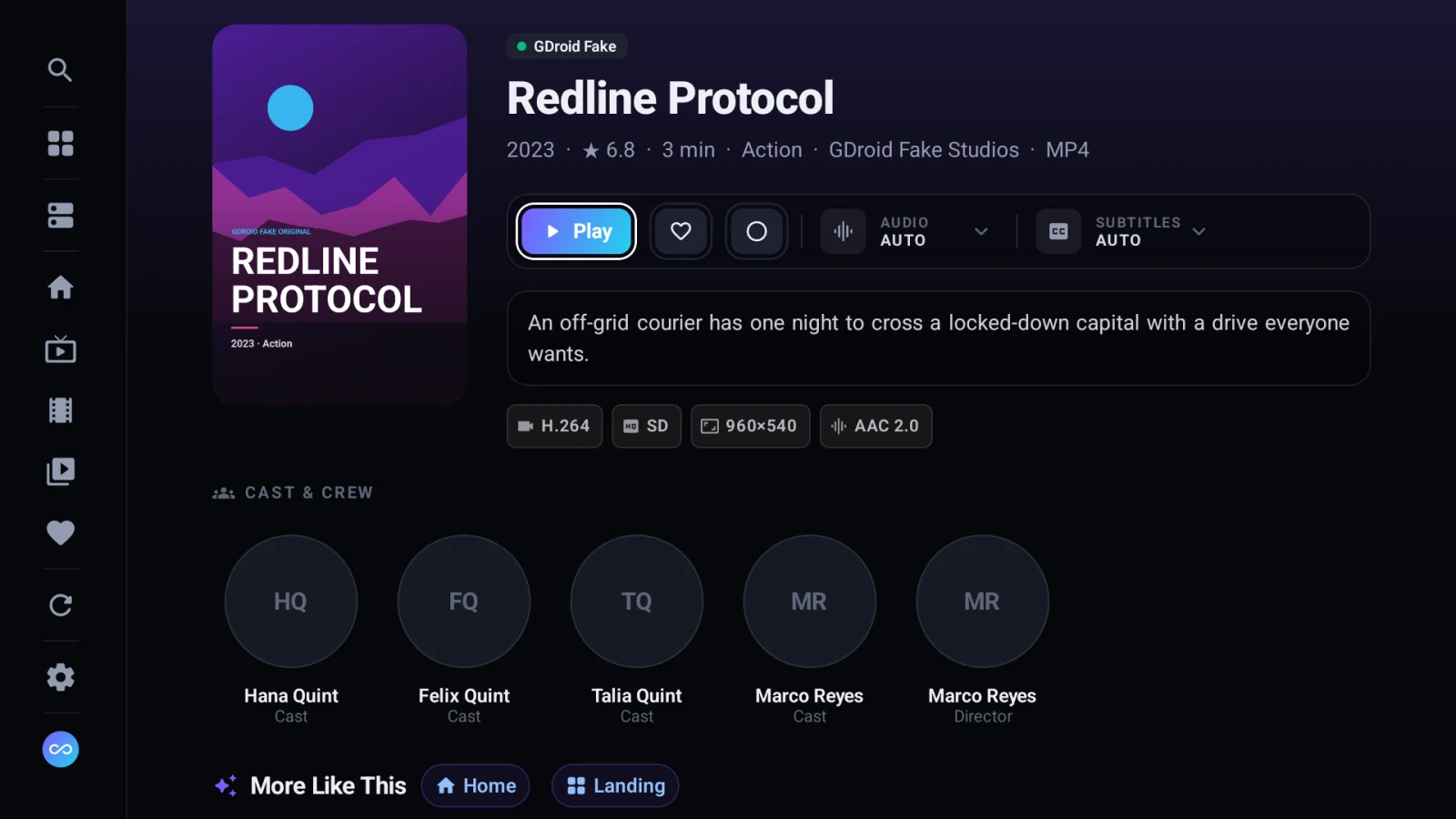
Android On a movie's or episode's page, the Audio box shows the title's tracks once Tachyon knows them (read ahead while the page is open, or after the title has played once). Pick one, and the title plays in it.
- With only one track, the box reads Default and there's nothing to choose.
- Before the tracks are known, the box offers a preferred language instead.
- With Emby (every device), the server's own track list and your Emby playback settings are used.
Switch While You Watch
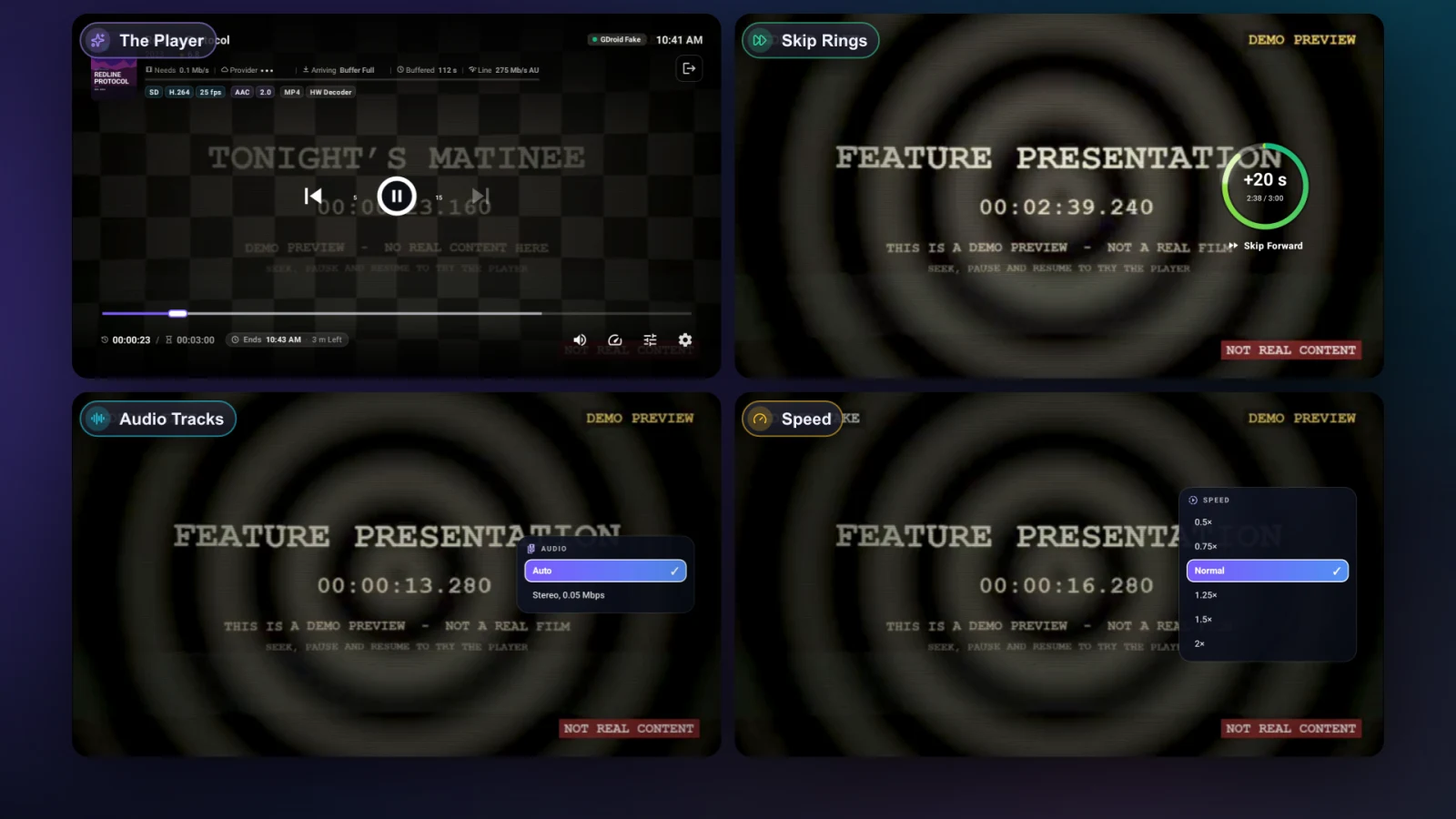
- The Audio button in the player's bottom bar appears when there's more than one track.
- Player Options → Audio lists every track with its language, marked Default where the source says so.
- Desktop B steps to the next audio track.
Resume brings back the audio and subtitles that were playing when you stopped.
When a Track Has No Sound
- Some channels send a silent first track. Tachyon notices and switches to a track that has sound.
- Android Dolby Digital and DTS can go to your TV or receiver untouched (Settings → Playback → Video Player → Surround Passthrough). If those channels play without sound, set it to Off so Tachyon decodes them itself.
- Desktop Dolby, DTS and MP2 sound is converted on the fly, so it always plays.
Questions and Answers
Can Tachyon pick a different language per series?
Your picks are remembered per title, and with Emby per series. The Audio Languages order applies to everything you haven't picked for.
Why does the Audio button not appear?
The title or channel has only one audio track, so there's nothing to switch to.